
updated on September 18, 2026 / by Taras Kushnir
Protecting forms on static websites
Everyone loves static websites - pretty much free, usually very fast (served directly from Edge locations from your favorite CDN) and “no servers to maintain” (for you). The problem starts when you need to add a form to the website, be it some version of “Contact Us”, Newsletter signup, or just comments under your blogposts. Suddenly you need a server to process the form. Reluctantly you turn to a “serverless” workaround: Zapier/N8N, AWS Lambda, Google Forms connector, Firebase. It works! But then you wake up one day to discover a few thousand spam entries: bots discovered your unprotected form. What now?
The solution
To protect from spam, you would usually add at minimum:
- some kind of a bot protection (e.g. a honeypot field, a CAPTCHA)
- domain-specific filters (e.g. a disposable emails check if you collect emails)
- rate-limit for your form endpoint
How to do it
Switch to a form backend
If you’re OK with channeling your data through a 3rdparty, you can subscribe to one of the many form backends (there’re so many of them, that it’s getting hard to choose: FormSubmit, FormInit, FormSpark, Basin, StaticForms and maybe a hundred more).
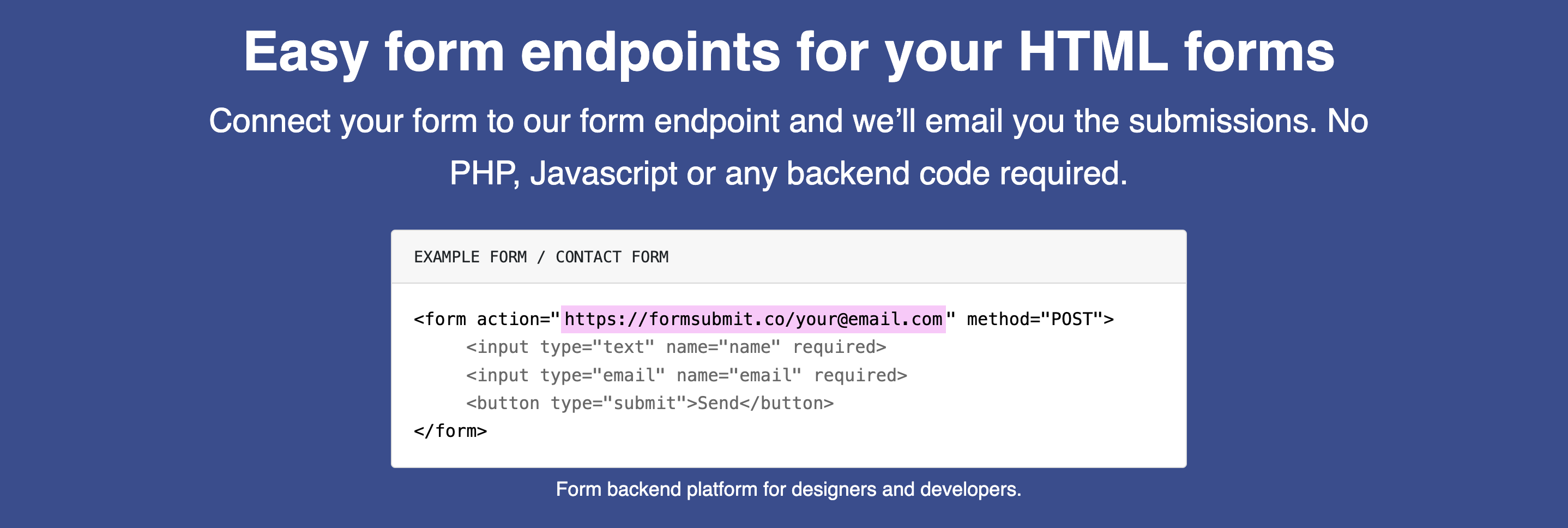
So for some amount of money spam, bots, and rate limiting will be a problem of someone else and you will still have only a static website.
Use your CDN
If you happen to use a CDN for your website, such as Bunny or CloudFlare, you can configure a custom WAF rule for either the page which serves the form (and you can of course move the form to a separate page) or to match the POST request to your form endpoint.
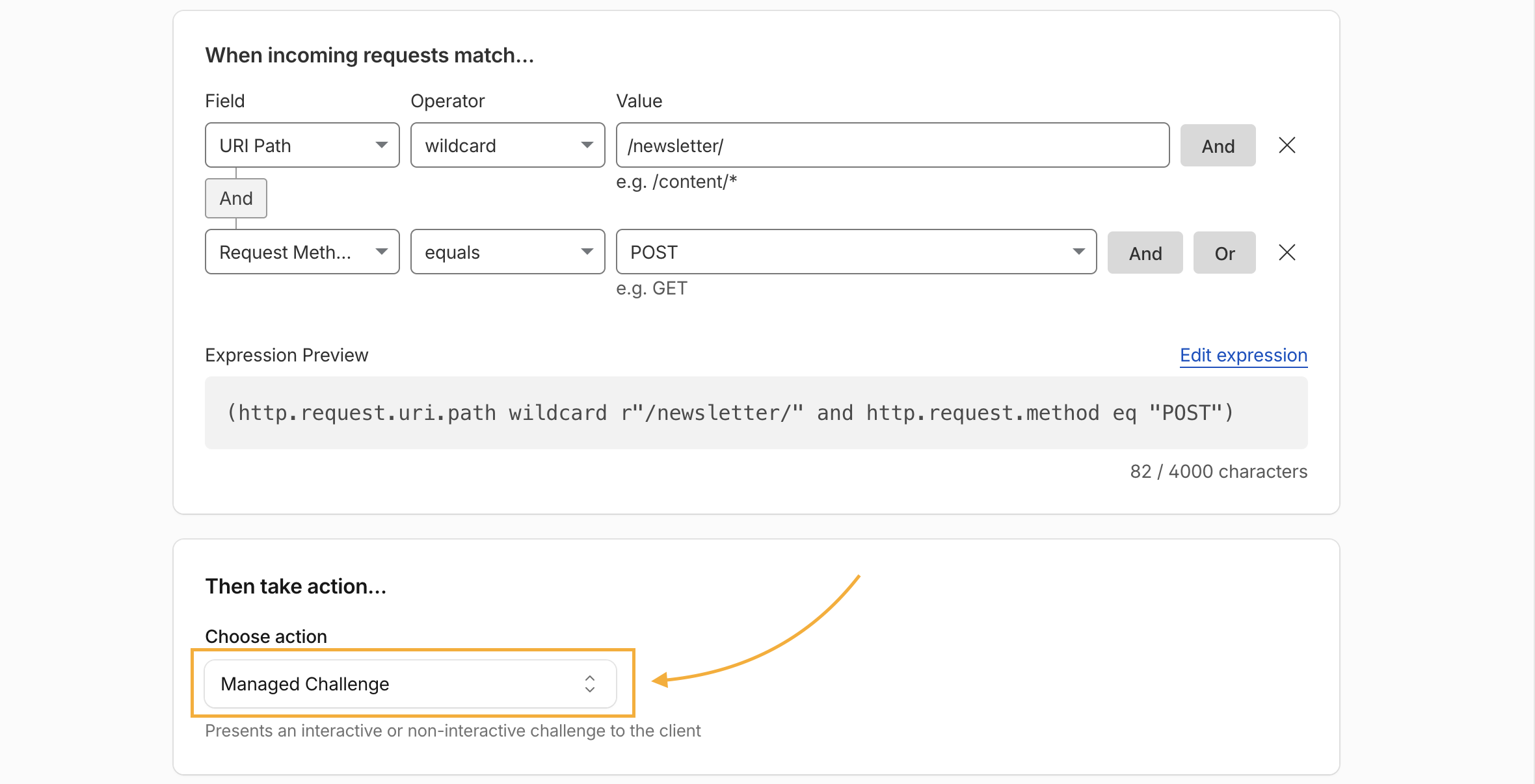
This solution is somewhat partial as long as your “secret” form URL is public in your page’s code, bots can send data directly with curl or automated browser. But it can help to mitigate the problem temporarily.
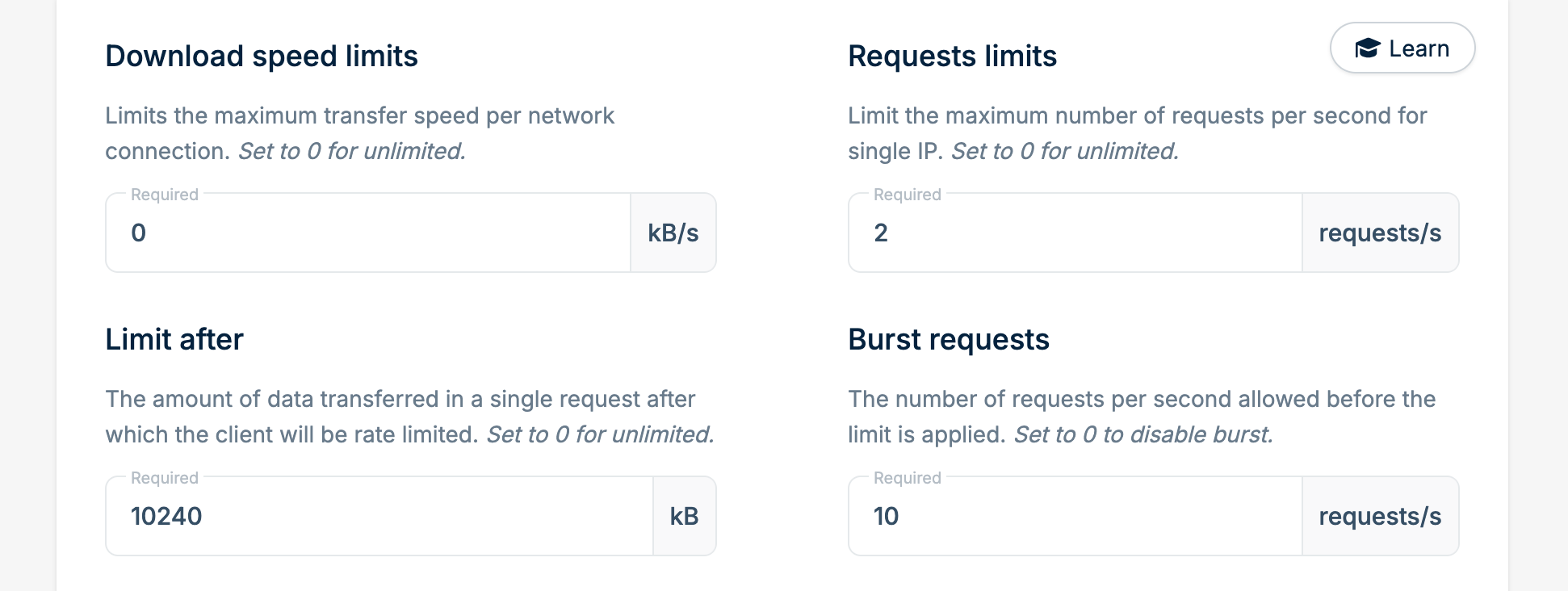
Setting up requests limits in Bunny CDN
You can be more advanced too and to do URL (and even Origin) rewriting on the CDN side, so your actual form remains hidden and you setup rate limits on the CDN side (screenshot above).
Rented compute (AWS Lambda / Firebase)
If you’re using AWS Lambda, Google Cloud Functions or Firebase, you do have your actual code running on a server.
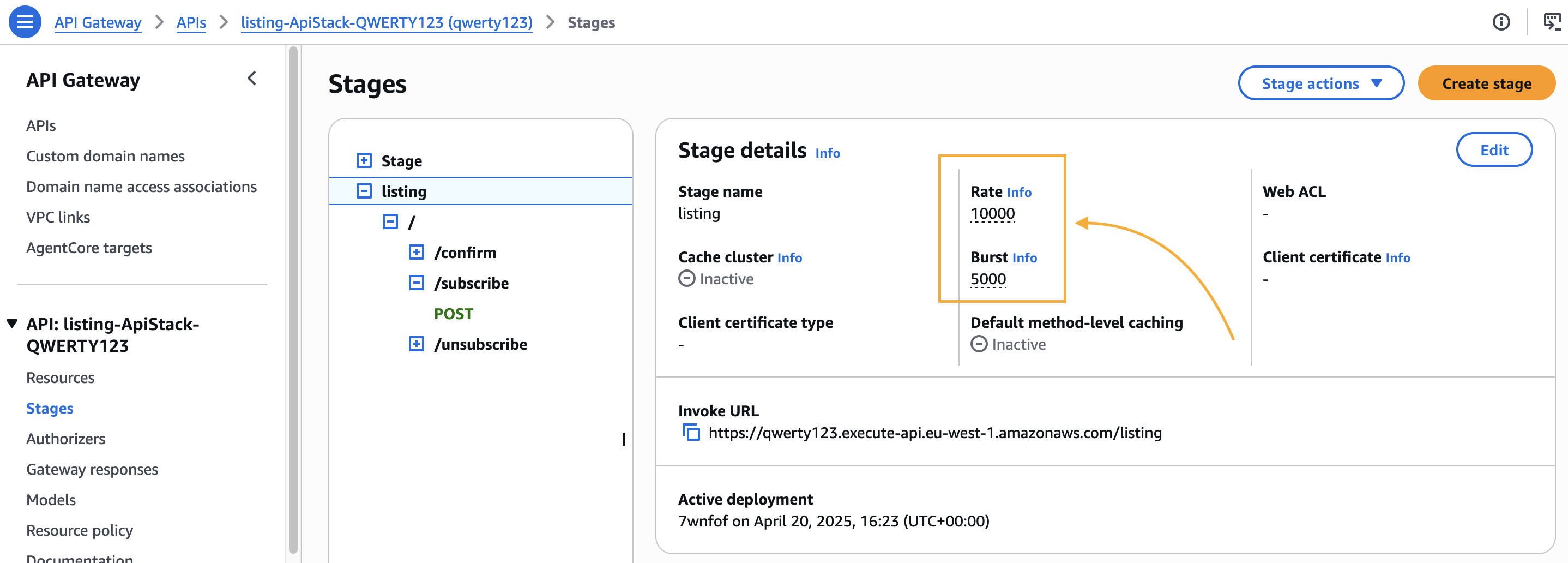
In such case rate-limiting configuration can be done on your specific cloud. For example, in AWS you’d find “API Gateway -> APIs -> Your API -> Stages -> Your stage” and there will be Burst and Rate parameters:
Additionally, since you control the code, you’d add some CAPTCHA to your form and check if it was solved before processing the form (e.g. confirming subscription or sending an email).
N8N/Zapier/IFTTT
You can think of it also as a “form backend” - you create a webhook in either of these systems:
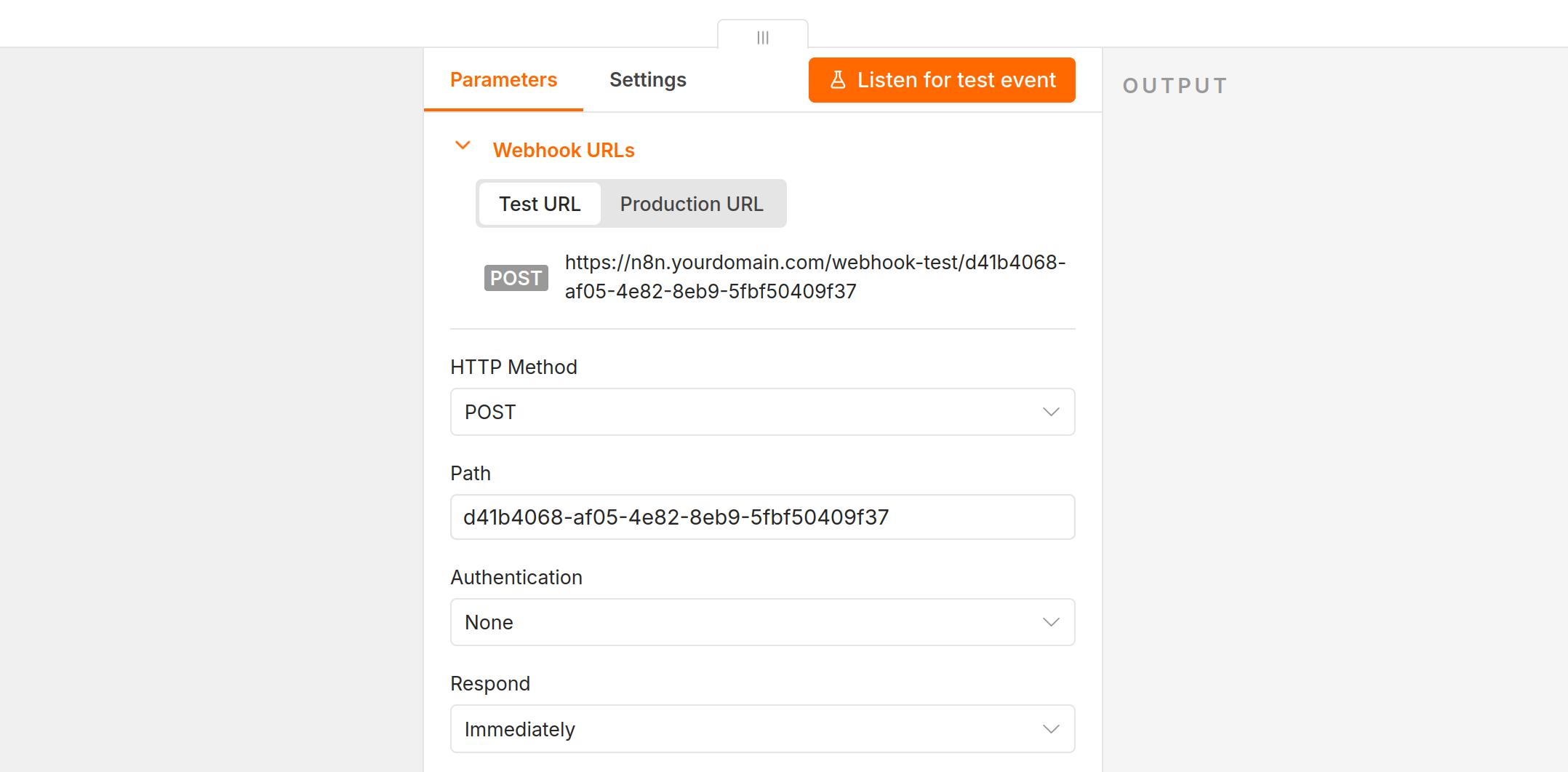
and use it’s URL as an action attribute of your form:
@@ -80,7 +80,7 @@
         <h2>Contact Us</h2>
-        <form action="#" method="post">
+        <form action="https://n8n.yourdomain.com/webhook-test/d41b4068-af05-4e82-8eb9-5fbf50409f37" method="post">
             <div class="form-group">
                 <label for="name">Name</label>
Rate limiting is tough in this case. Most of these systems will rate-limit you based on billing (e.g. Zapier’s 1,000 executions per month) or, if you’re using self-hosted N8N, you have a global rate-limit only (per N8N instance, not per workflow). So something else is required.
This something else can be Form forwarding feature of Private Captcha.
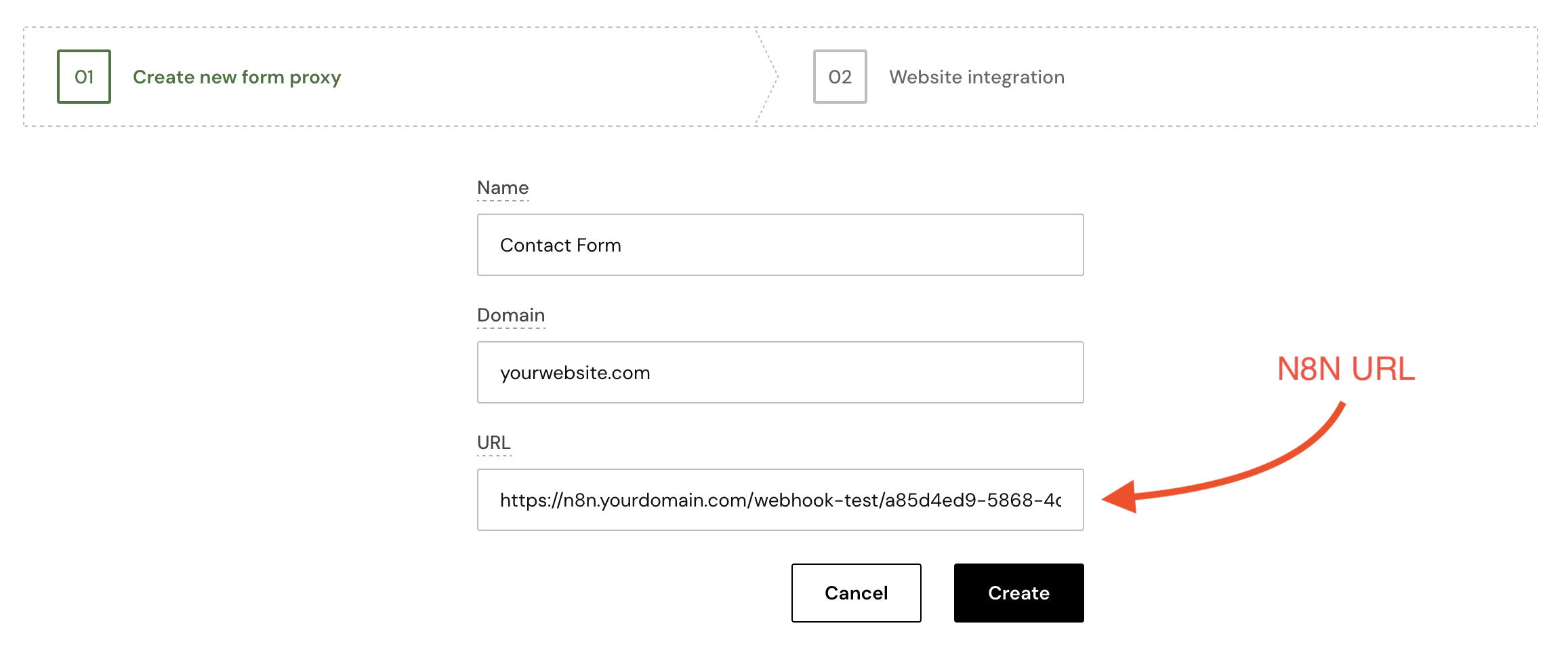
Basically, you hide your URL in Private Captcha system and instead you use our public URL. We check rate limit and CAPTCHA for you, and only after these checks we forward form submissions. So your backend stays private and hidden.
This works as well for AWS Lambda or Firebase - you can “hide” any backend URL behind ours and you don’t need to add CAPTCHA verification code - all submissions will be forward only if they already passed it.
Use a CAPTCHA
Okay, this is the most boring one - and you already know it, so I’ll just mention it for completeness. If you need help with choosing one, I have a suggestion.
Bonus: Clever tricks
There are a few tricks that can do the job for more stupid bots, if you don’t want to do any of the above.
- JavaScript. There are a lot of variations of the honeypot technique with JavaScript: e.g. by default form his hidden and only uncovered later (on mouse movement, on focus gained in the form input field etc.) or with form URL obfuscated by default and de-obfuscated only after some time passes (again, with JavaScript). But keep in mind people on mobile devices.
- Multi-step forms. Most bots are not very smart and they know how to submit only single-page forms. If you form has more than 1 step, you’re literally “one step ahead” of many bots.
- Hidden field (and delay). Add a hidden field by default and remove it only after a delay. If the form submission has it on the server side, it means it was a bot.