
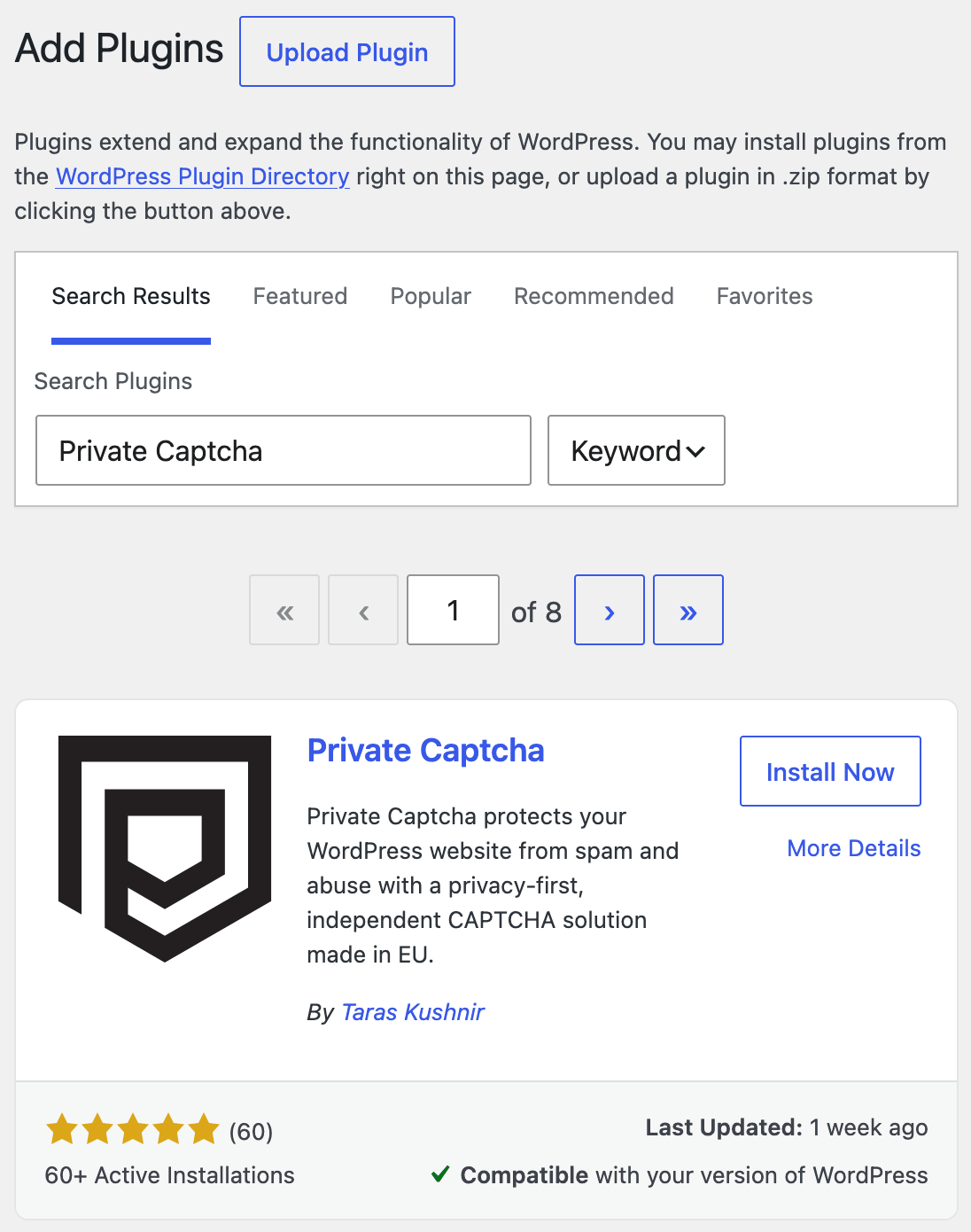
Install
Install Private Captcha plugin
Search "Private Captcha" in the WordPress marketplace and install our plugin
User-friendly and GDPR-compliant CAPTCHA for WooCommerce made in EU: privacy-first and easy to integrate
Start free trial
Install
Search "Private Captcha" in the WordPress marketplace and install our plugin
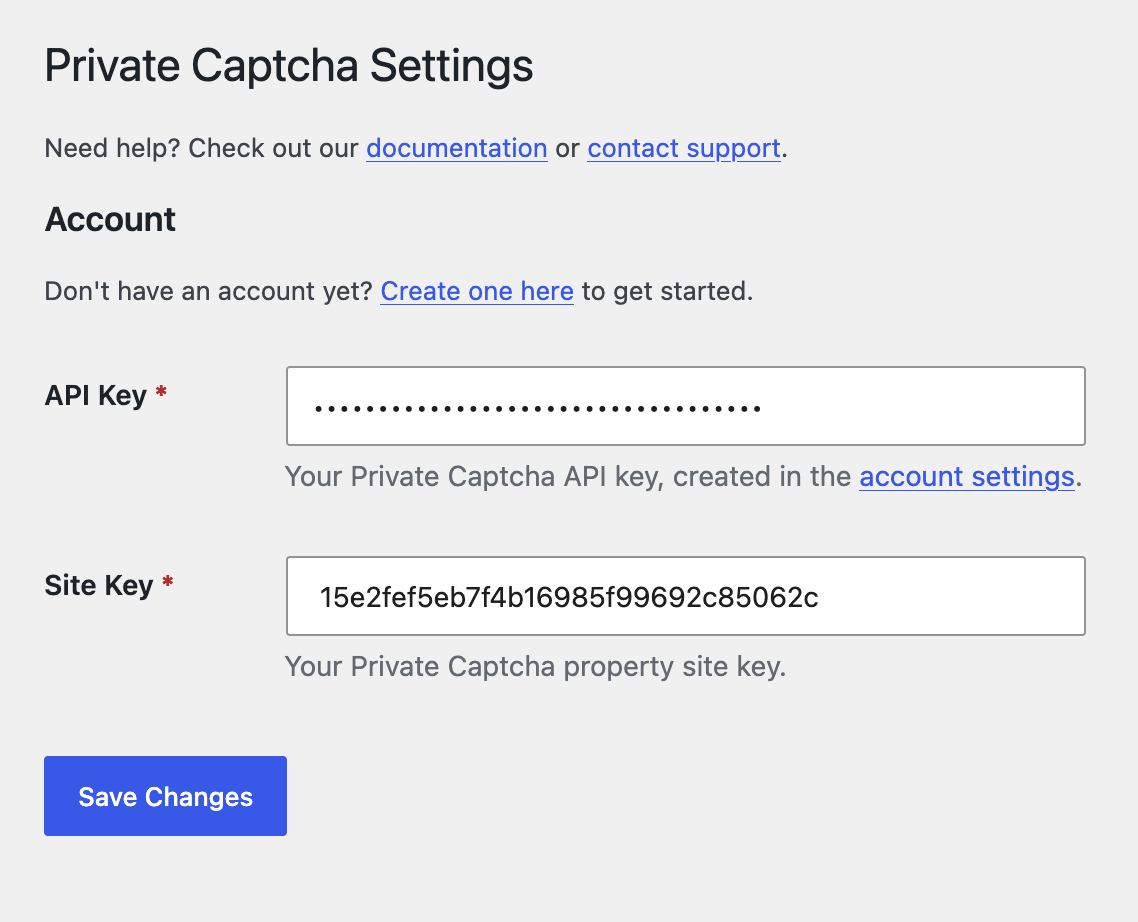
Register
Create a Private Captcha account, register a domain and create an API key. Then add those details in our WordPress plugin.
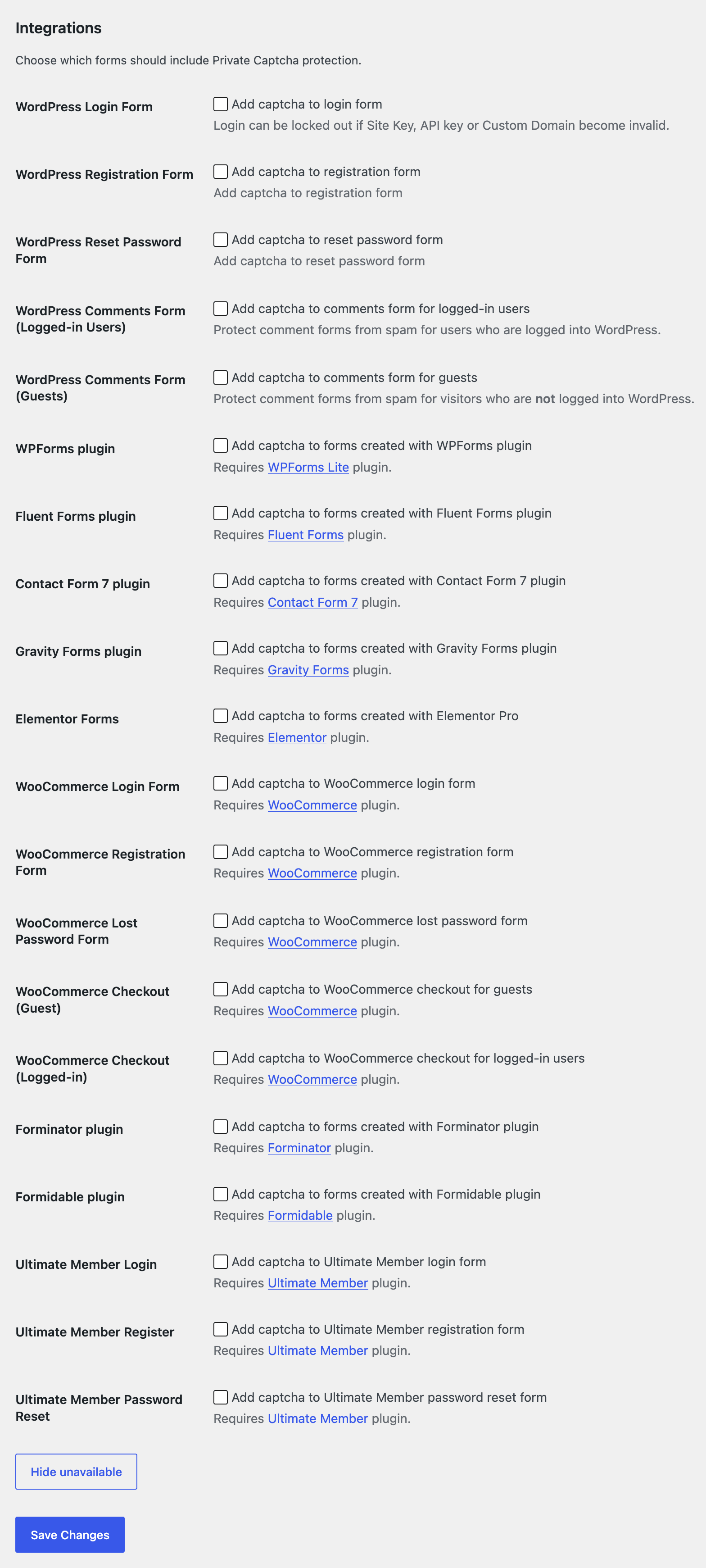
Configure
In the Private Captcha plugin settings, enable the WooCommerce protection options you need, then click Save Changes.
Our WordPress guide covers built-ins and 3rdparty plugins
Customization
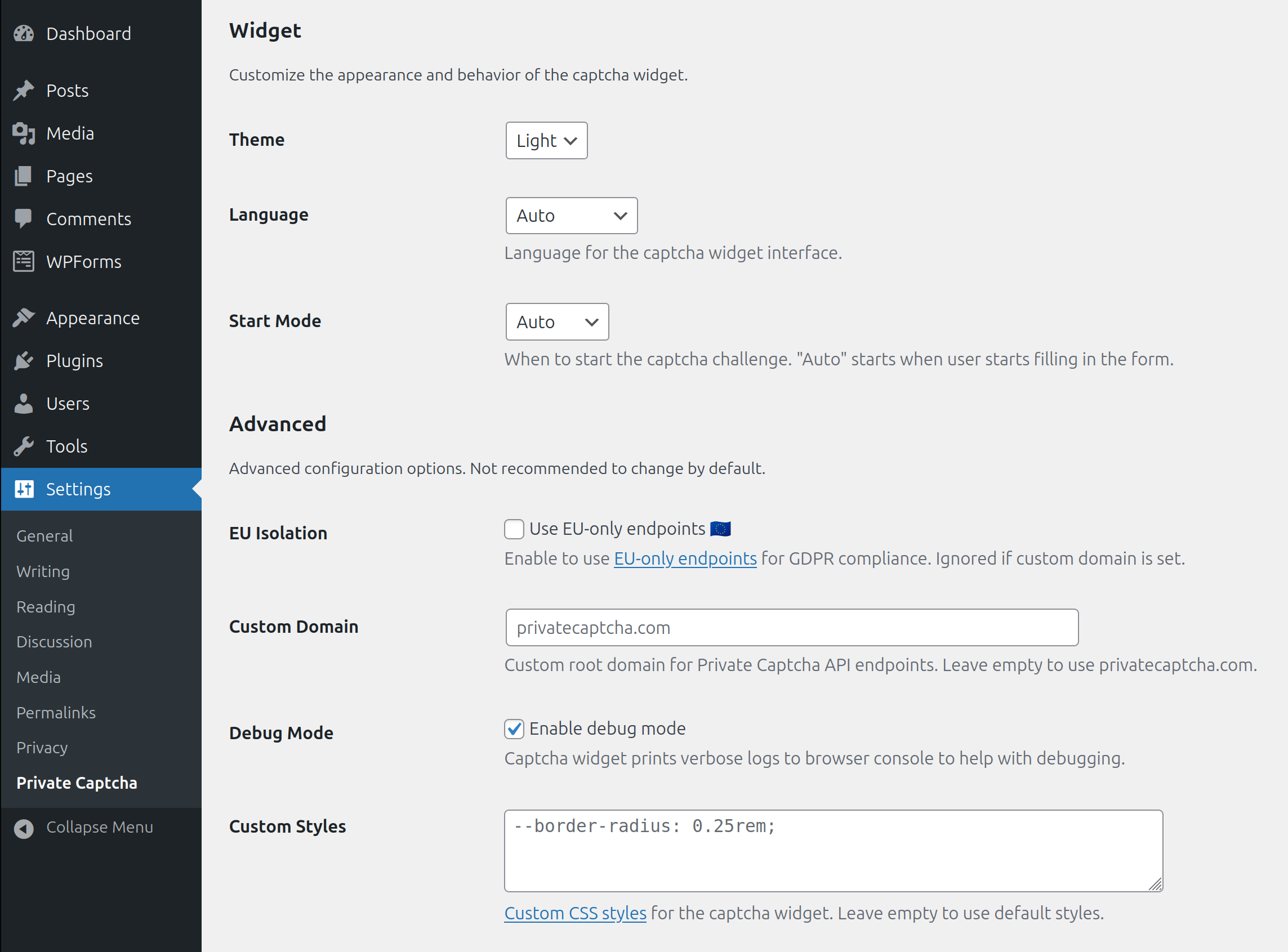
Change theme, language, styles, domains and more in the Private Captcha plugin settings. In the same place you can enable Comments, Login or 3rdparty forms integrations.
Setup takes less than 5 minutes.
After implementing the basics, here's what else you can do.
Customize CAPTCHA puzzle difficulty for your unique use-case
Different visual themes, more than 10 localizations, popup/hidden modes and more
Protect the whole website from AI scrapers and bots
Question zone
Instead of asking users to solve complex puzzles or track their behavior, Private Captcha solves an invisible cryptographic task in the background. The system automatically adjusts the task difficulty, ensuring smooth access for real users while making it too costly for bots to attempt. Cryptographic task provides equal security regardless of bot's intelligence level, making it effective even as AI technology improves. Which is hard to say about image/sound recognition tasks of other captchas.
On scale, bots exhibit different usage patterns and fingerprints statistics than real users. Detection of those patterns is part of the Private Captcha solution as we process a lot of request data on behalf of our clients.
No. Scraping protection issues a signed cookie with validity period that you configure in the dashboard. During that period all requests do not incur additional API calls.
Unlike other solutions, that only have client-side code open, Private Captcha's backend code is also publicly available, making it easy to verify how user data is handled. Additionally, you can host Private Captcha on premises inside your own organization.
Private Captcha comes with many pre-built integrations for popular online platforms, such as WordPress, and packages for many popular programming languages (Javascript, Python, etc.). Additionally, our documentation provides detailed setup and migration guides and integration examples.
The Private Captcha widget offers two color themes (light and dark) and also allows to do lower-level customization, using CSS, ensuring seamless integration with your website. Additionally, you can hide the captcha widget altogether and make your custom UI integration, all while keeping security benefits.
Independent, privacy-first, user-friendly CAPTCHA service made in EU